Agency client reporting: an automated dashboard instead of screenshots
How a marketing agency can automate client reporting with a clear report structure, budget pacing, plan vs actual, explained changes, a white-label portal and chat reports, so account managers stop losing days to screenshots.
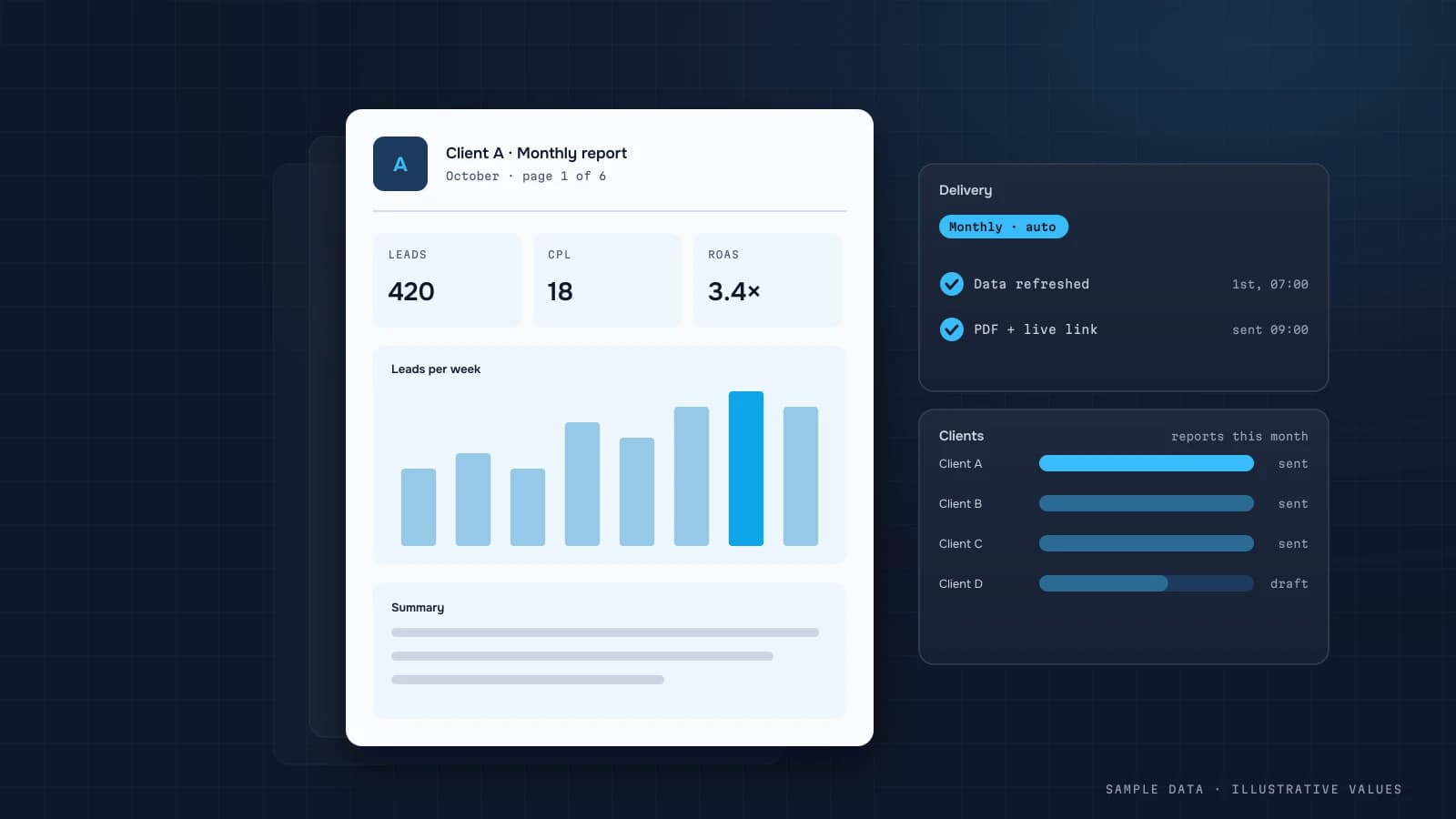
At a typical agency, month-end means account managers spending days collecting screenshots from ad platforms, merging spreadsheets and writing commentary. Clients don't pay for that time, and the report gets two minutes of attention. An automated client dashboard fixes both problems.
What clients actually want
Clients don't need 40 platform metrics. They want answers:
- How much did we spend, and was it on plan?
- What did we get in revenue or leads, according to their own CRM and not just the ad platforms?
- What changed, and why?
- What is the agency doing next?
Report structure
| Block | Content |
|---|---|
| Summary | spend, leads/sales, CPA or ROAS, vs last period and plan |
| Pacing | month-to-date spend vs plan, forecast for month end |
| Channels | Google, Meta, TikTok, LinkedIn: spend, results, CPA/ROAS |
| Campaigns | top performers and laggards, with explanations |
| Creatives | best ads, with previews |
| Commentary | 3–5 sentences: what happened, why, what's next |
Pacing and plan vs actual
Pacing is the most useful block for both sides:
Forecast spend = month-to-date spend / days elapsed × days in month
| Client | Monthly plan | Actual on the 15th | Forecast | Status |
|---|---|---|---|---|
| Client A | 20,000 | 11,200 | 22,400 | overspending |
| Client B | 15,000 | 6,100 | 12,200 | underspending |
| Client C | 8,000 | 4,050 | 8,100 | on track |
Illustrative. An internal agency dashboard with pacing across all clients lets the account manager spot a problem on the 15th instead of the 30th.
Client data, not just platform data
The strongest retention argument is showing results in the client's own money:
- for ecommerce, orders and revenue from Shopify or the store backend;
- for lead gen, CRM leads with quality stages (qualified, deal, paid);
- for apps, installs and subscriptions from the MMP.
This needs read-only access to the client's CRM or an export, and UTM discipline written into the contract (UTM convention). Combining the ad platforms is covered in cross-channel ad reporting.
A white-label portal
For an agency, the client portal is part of the product:
- your domain and brand (
reports.agency.com), not someone else's tool; - separate access per client, so each sees only their own data;
- roles: client owner, client marketer, agency account manager;
- no per-viewer licences, which matters once you have dozens of clients (custom dashboard vs BI).
Explaining changes
Numbers without explanation lead straight to "why?" emails. It helps to draft the commentary automatically:
- the biggest changes by channel and campaign;
- causes the data can show (rising frequency, CPC shifts, paused campaigns);
- the manager edits the draft and adds the action plan.
An AI assistant on your data can write that draft from the numbers, with a human reviewing it.
Delivery
- Weekly in chat: 5 lines plus a link to the portal (automated reports).
- A monthly PDF from the portal for clients who want a file.
- Agency alerts: overspend, campaigns with no results, rejected ads.
How much time it saves
That depends on the number of clients and your current process. The main saving is that month-end assembly turns into editing commentary on numbers that are already there. You also get fewer copy-paste errors.
Common mistakes
- Reports with platform metrics only and no client data.
- A different template per client, which can't scale.
- No plan, so nobody can say whether a result is good or bad.
- Accessing client ad accounts through managers' personal logins.
- A monthly report that arrives too late to change anything.
Checklist
- One report template for all clients
- Budget plans and target KPIs stored in the system
- Pacing with a month-end forecast
- Results from the client's own CRM
- Separate access per client
- Commentary: what happened, why, what's next
- Weekly digest plus agency alerts
See an example client portal on the agency page.
Step by step: one pipeline for all clients
Building a separate dashboard per client doesn't scale past a handful. The pattern that does:
- One warehouse, one schema, a
client_idcolumn on every table. Each client's ad accounts, GA4 property and CRM feed load into the same tables. - A client registry table: client ID, name, ad account IDs, GA4 property ID, currency, time zone, targets (CPA, ROAS, budget), report recipients.
- One report template whose queries filter by
client_id. New client = new rows in the registry, not new dashboards. - Row-level access so each client's login sees only their rows.
- Scheduled delivery of a summary (email or messenger) with a link to the live view.
-- weekly KPI per client against their own targets
SELECT c.client_name, w.week,
       w.spend, w.conversions, SAFE_DIVIDE(w.spend, w.conversions) AS cpa,
       c.target_cpa,
       SAFE_DIVIDE(w.spend, w.conversions) / c.target_cpa - 1 AS cpa_vs_target,
       SAFE_DIVIDE(w.spend, c.monthly_budget * 7 / 30.4) AS weekly_pace
FROM mart.client_weekly w
JOIN ref.clients c USING (client_id)
WHERE w.week = DATE_TRUNC(DATE_SUB(CURRENT_DATE(), INTERVAL 7 DAY), WEEK(MONDAY))
ORDER BY cpa_vs_target DESC;
Sorting by distance from target gives the account team a morning list: the clients at the top need attention first.
Worked example: a monthly report page
Illustrative structure for a lead-generation client:
| Block | Content |
|---|---|
| Summary (3 sentences) | "Leads 214 (+12% MoM) at CPA 380 (target 400). Qualified rate 41%. Next month: shift 15% of budget to search." |
| Goal tracking | leads, CPA, qualified leads, cost per qualified lead vs target |
| Channels | spend, leads, CPA, qualified rate by channel |
| What we did | 3–5 changes made this month and their effect |
| Next steps | 2–3 planned actions with expected impact |
| Appendix | campaign-level table, for the client's marketer |
"Cost per qualified lead" (using the client's CRM status) is the line that turns the conversation from clicks to business. It requires the client's CRM feed, which is worth asking for at onboarding.
Data access at onboarding: a checklist
- Ad accounts shared with the agency's manager account (read access at minimum)
- GA4 property: Viewer or Analyst role, plus the BigQuery export if available
- CRM: an export or API access for lead status and revenue (only the fields needed)
- Targets agreed in writing: CPA or ROAS, budget, what counts as a qualified lead
- Report recipients and frequency
- A data processing agreement where personal data is involved
Keeping reports honest
Clients trust reports that also show what didn't work. A short "what didn't work" line each month, such as "the video test raised CPA by 30%, stopped on day 9," costs nothing and makes the good numbers more believable. Avoid switching metrics between months to show a better picture. If a metric definition changes, say so in the report and show both versions for one period.
Scaling: what breaks at 20+ clients
| Problem | Symptom | Fix |
|---|---|---|
| Connector costs per account | the tool bill grows with every client | pull from platform APIs into your own warehouse, or negotiate per-workspace pricing |
| Token and access churn | reports silently go empty when a client revokes access | a freshness check per client, alert the account manager |
| One-off customisations | each client's dashboard drifts from the template | allow configuration (targets, metrics shown) in the registry, not code changes |
| Currency and time zones | cross-client totals are meaningless | report agency-level totals in one currency with documented rates |
Keep an internal "all clients" view for the agency itself: spend under management, clients behind target, accounts with stale data. It's the screen the agency owner opens first.
FAQ
Can we connect clients with different platforms and currencies?
Yes. Data is mapped to one schema, currencies are converted at the daily rate, and each client sees the report in their own currency.
How do we keep one client's data from another?
With data-level access control, so each client user only sees their own dataset. The agency gets separate roles on top of that.
Can clients edit the report themselves?
Usually just filters and periods. The structure stays the same for everyone so the agency can scale.
How is this better than a Looker Studio template?
Per-client access, agency branding, chat reports, pacing across all clients, and a join with each client's CRM in the warehouse.

DATUMPANEL — Business data analytics
DATUMPANEL is an independent data analyst based in Ukraine. I build dashboards for business owners, set up GA4 and the BigQuery export, and run data pipelines and Telegram auto-reports for e-commerce, service businesses, SaaS and agencies, from data audit to decisions.