
Comparison
Your own web workspace or a BI tool?
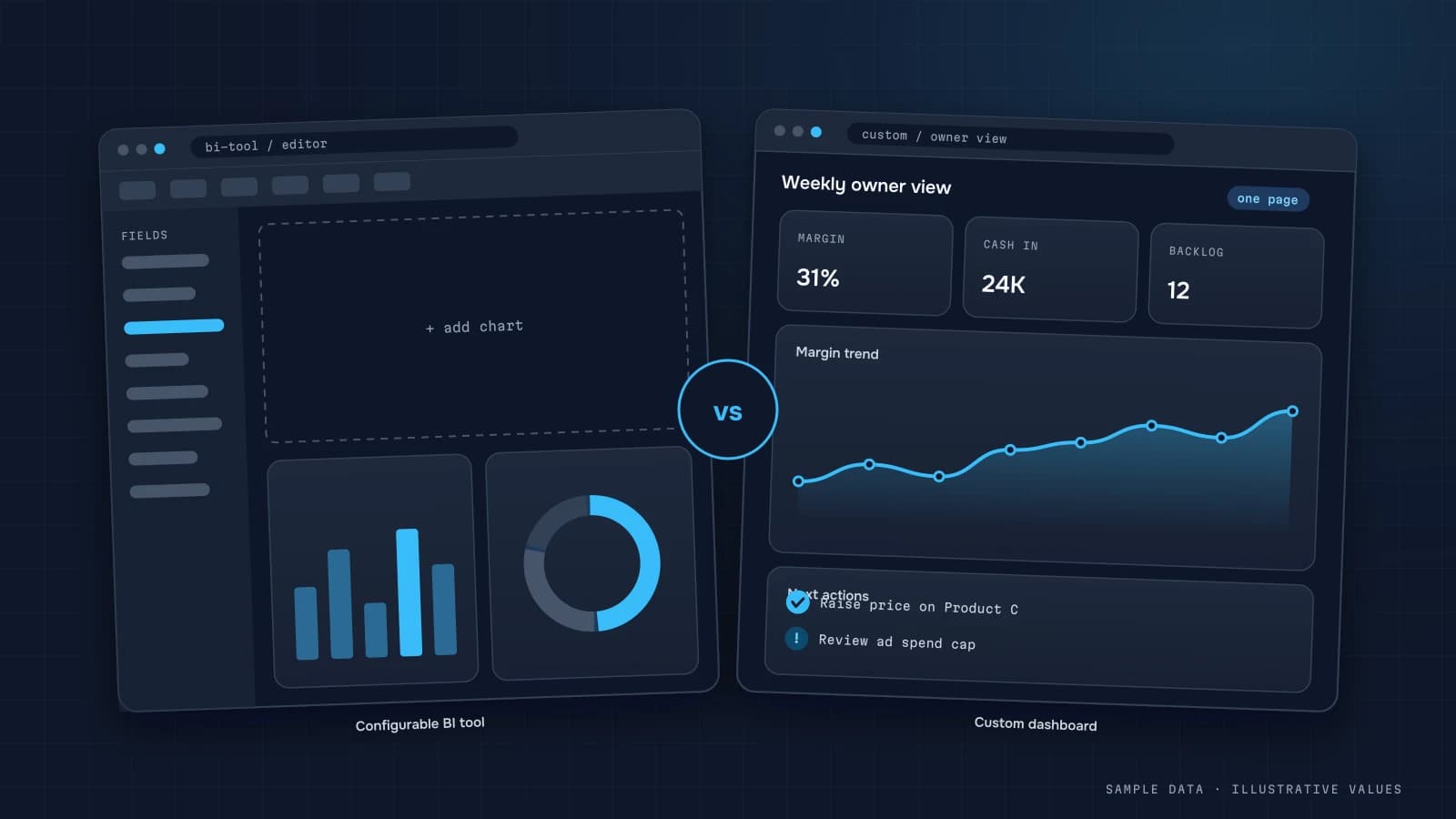
Honestly: BI tools are great if you have an analyst who builds reports. Your own workspace wins when the people using the dashboard are owners and teams, not analysts.
No per-user licences
Power BI and Tableau charge per viewer; Looker Studio is free; Metabase is open source or a paid cloud.
- Own workspace
- yes
- Power BI
- no
- Looker Studio
- yes
- Tableau
- no
- Metabase
- partly
You pay for the work and hosting; viewer count does not change the price.
Pro / Premium Per User — a licence for everyone who views reports.
Free to view; only third-party connectors cost money.
Creator / Explorer / Viewer — a paid seat per user.
Open source is free; Cloud and Pro are billed per user.
Your brand, domain and design
BI branding is limited or reserved for higher tiers.
- Own workspace
- yes
- Power BI
- partly
- Looker Studio
- no
- Tableau
- partly
- Metabase
- partly
Your domain, logo, colours and fonts — fully on-brand.
Report themes exist; own domain and UI only via Embedded.
Reports live on lookerstudio.google.com with Google UI.
Limited branding; own portal via Embedded / Server.
White-label and own domain in paid plans or self-hosted.
Plain-language metric notes
BI tools allow manual text boxes; in the workspace every metric carries its own note.
- Own workspace
- yes
- Power BI
- partly
- Looker Studio
- partly
- Tableau
- partly
- Metabase
- partly
Every metric has a note on what it means and how it is calculated.
Descriptions and tooltips possible, set up manually per visual.
Only text boxes that the report author adds by hand.
Field descriptions and tooltips — configured by the author.
Model and field descriptions exist, but not every viewer sees them.
AI assistant on your data
Copilot / Gemini / Tableau AI exist on specific plans with limits.
- Own workspace
- yes
- Power BI
- partly
- Looker Studio
- partly
- Tableau
- partly
- Metabase
- partly
The assistant answers questions about your own metrics and changes.
Copilot — on higher Fabric / Premium capacities.
Gemini features are arriving, mostly in Looker (Pro).
Tableau Pulse / Agent — on higher tiers.
Metabot exists but needs setup and a paid plan.
Telegram reports
BI tools send email; Telegram only via third-party glue.
- Own workspace
- yes
- Power BI
- no
- Looker Studio
- no
- Tableau
- no
- Metabase
- partly
Scheduled digests and alerts in Telegram — built in.
Email and Teams subscriptions; Telegram only via Power Automate.
PDF delivery by email; no messengers.
Email and Slack subscriptions; Telegram only via integrations.
Email and Slack; Telegram via webhooks and extra work.
Simple team access without licences
The workspace has its own accounts and roles; BI usually needs a licence or Google account per viewer.
- Own workspace
- yes
- Power BI
- no
- Looker Studio
- partly
- Tableau
- no
- Metabase
- partly
Sign-in by link, password or SSO — no seats to buy.
Every viewer needs a licence and a Microsoft account.
Free, but needs a Google account and manual sharing.
Every user is a separate paid seat.
No licences when self-hosted; per-user in the cloud.
You own the data and code (self-hosting)
The workspace runs on your server; Metabase can be self-hosted too.
- Own workspace
- yes
- Power BI
- partly
- Looker Studio
- no
- Tableau
- partly
- Metabase
- yes
Code and database deploy on your server (Docker) or cloud.
Report Server exists, but it is mostly Microsoft cloud.
Google cloud only, no access to the code.
Tableau Server can be self-hosted, but is licensed.
Open source — fully self-hostable.
UI tailored to your process
Any logic or screen is code, not a builder’s limits.
- Own workspace
- yes
- Power BI
- partly
- Looker Studio
- partly
- Tableau
- partly
- Metabase
- partly
Screens, logic and flows are built around your processes.
Flexible within reports; own flows via Power Apps.
Only reports built from stock components.
Flexible dashboards, but the UI is Tableau’s.
Questions and dashboards; own flows via embedding.
Self-service ad-hoc exploration
BI tools win here: an in-house analyst can slice anything. The workspace offers filters, saved views, and new widgets via me.
- Own workspace
- partly
- Power BI
- yes
- Looker Studio
- yes
- Tableau
- yes
- Metabase
- yes
Filters, sorting and export yes; free-form drag & drop no.
Full self-service data exploration.
Drag-and-drop report builder for anyone.
The strongest tool for free-form analysis.
No-code question builder and SQL editor.
Quick start with no development
A simple Looker Studio report takes an evening. The workspace takes 2–4 weeks for a pilot — without compromises.
- Own workspace
- partly
- Power BI
- yes
- Looker Studio
- yes
- Tableau
- partly
- Metabase
- yes
When your own workspace is better
Non-technical people use the dashboard, brand and explanations matter, you don’t want to pay per viewer, and you need Telegram reports and data on your own server.
When BI is the better fit
You have an in-house analyst, need free-form drag-and-drop exploration, and everyone already lives in Microsoft 365 or Google Workspace.
BI capabilities depend on the plan and change over time; this table is a general picture as of 2026.
Read more on the blog
Not sure which fits you?
Tell me how your reporting works today — I’ll honestly say whether your own workspace is worth it or Looker Studio will do.
Or reach me directly:
Open the demo →