Automated KPI reports in Telegram (or Slack): daily numbers without opening a dashboard
How to set up automated KPI digests through a Telegram bot. What to include in a morning summary, how to word anomaly alerts, scheduling, token security, and a working Bot API example.
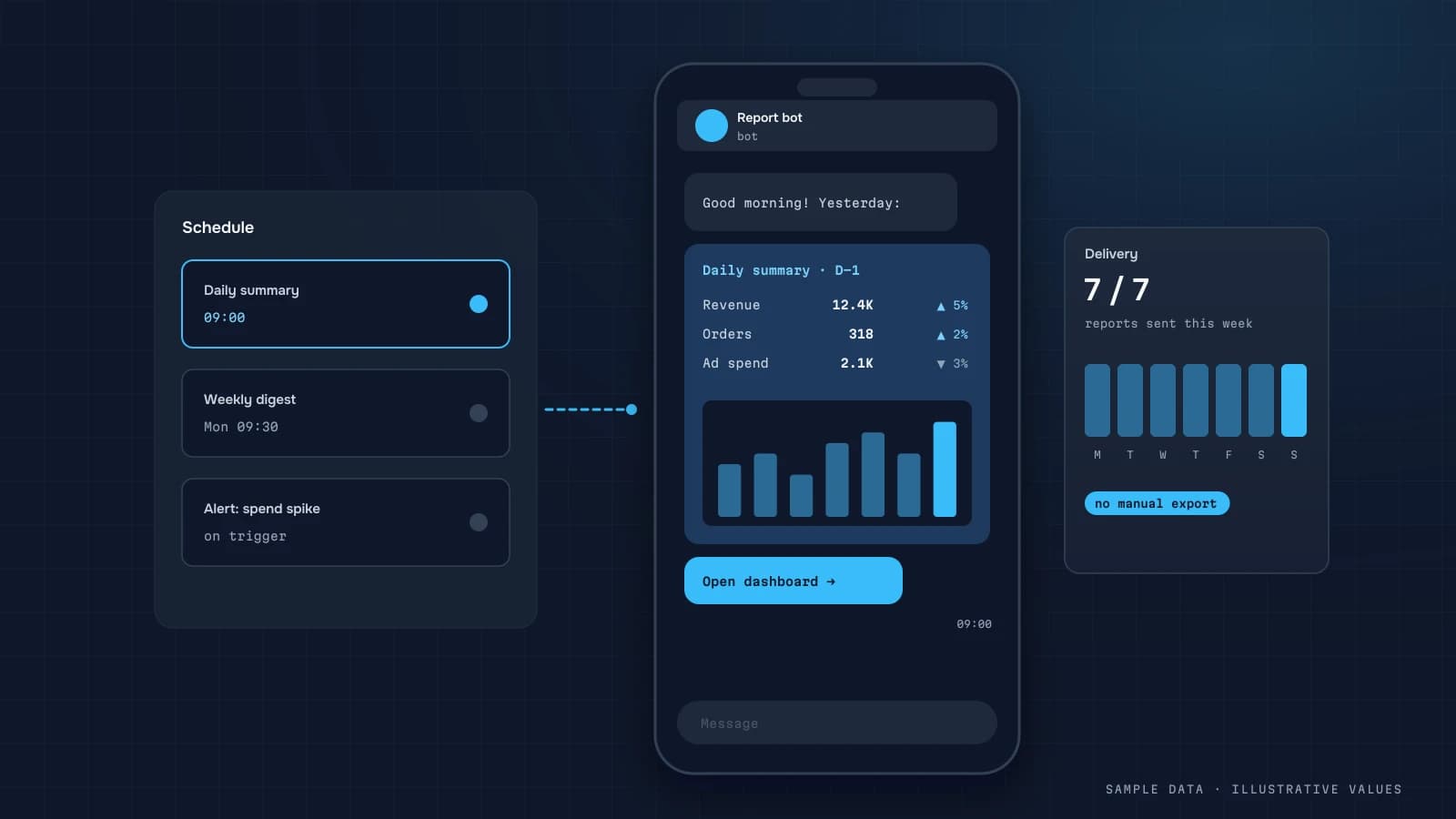
Founders open a dashboard once a week, if that. A bot message at 8:00 gets read every day. So I almost always pair a dashboard with a short automated digest, and that digest often ends up being the most-used part of the whole setup. I usually send it through a Telegram bot. The same logic works for Slack or email.
What goes in the morning digest
The rule: it can be read in 15 seconds. 5–7 lines at most:
- 3–4 headline KPIs for yesterday, each with a comparison (same weekday, or the 4-week average).
- One or two deviations that need attention, with an explanation.
- A link to the relevant dashboard view.
DATUMPANEL · Tuesday, 14 October
Revenue: $5,230 (+11% vs last Tuesday)
Orders: 66 · AOV $79
Ad spend: $1,190 · MER 4.4
⚠ Meta: CPC +38% over 3 days. New creative is fatiguing
→ Open Marketing
Illustrative numbers.
Report types
| Report | When | For |
|---|---|---|
| Morning digest | daily at 8:00 | founder |
| Weekly summary | Monday | founder, team |
| Anomaly alert | when a rule fires | metric owner |
| Agency client report | weekly | the client (agency reporting) |
| Technical alert | when a load fails | analyst |
How to word anomalies
Bad: "Conversion −18%." Good: "Mobile conversion −18% (iOS). iOS checkout is loading slower. Check the latest release."
Rules for alerts:
- Thresholds relative to normal, not fixed numbers. For example: below the 4-week same-weekday average minus 2 standard deviations.
- A minimum volume. Don't alert on −50% when there were only 4 orders.
- De-duplication. Don't send the same alert every hour.
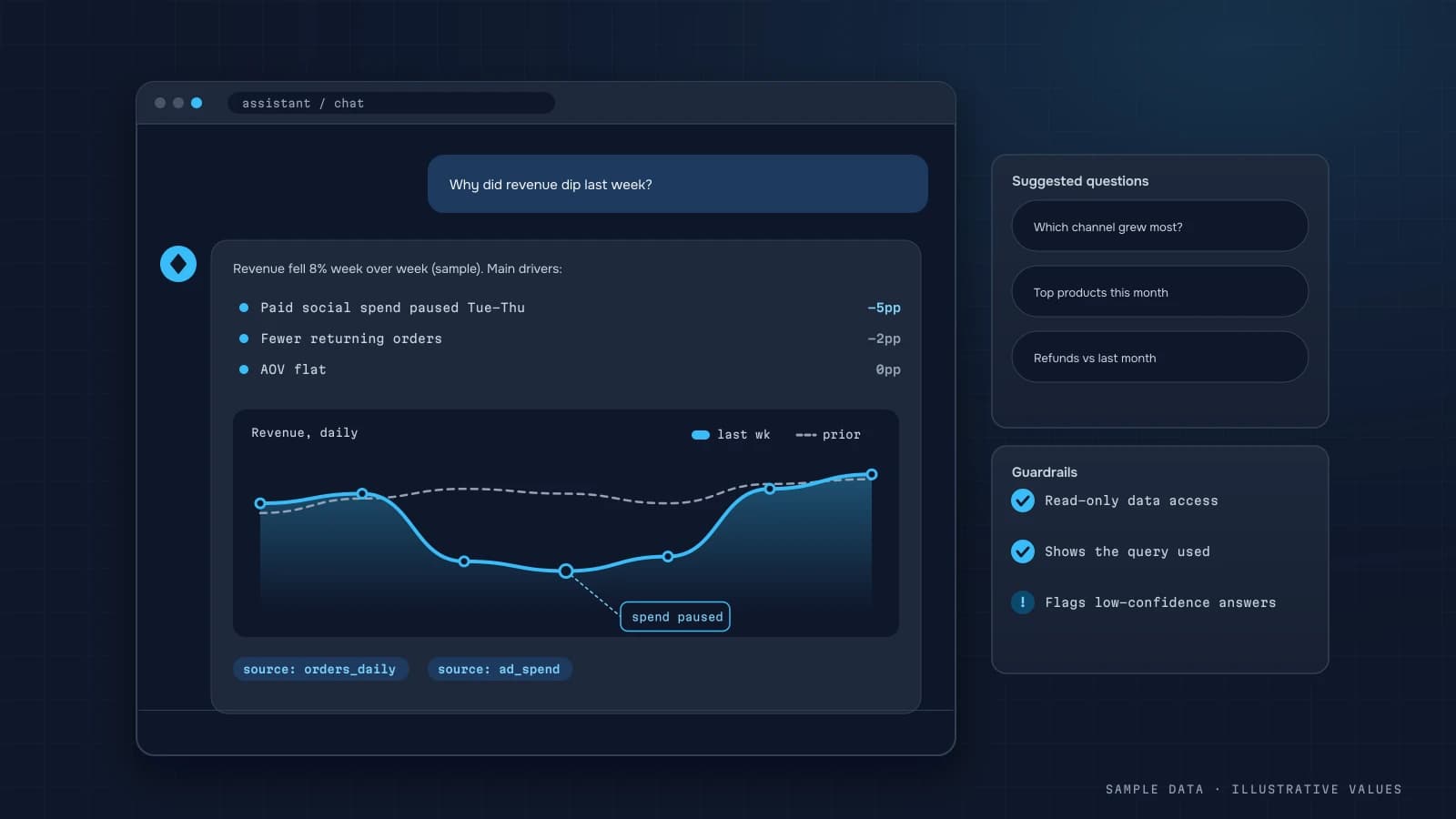
- An explanation that shows where it happened (channel, device, category). An AI assistant is good at turning the breakdown into one plain sentence.
How it works
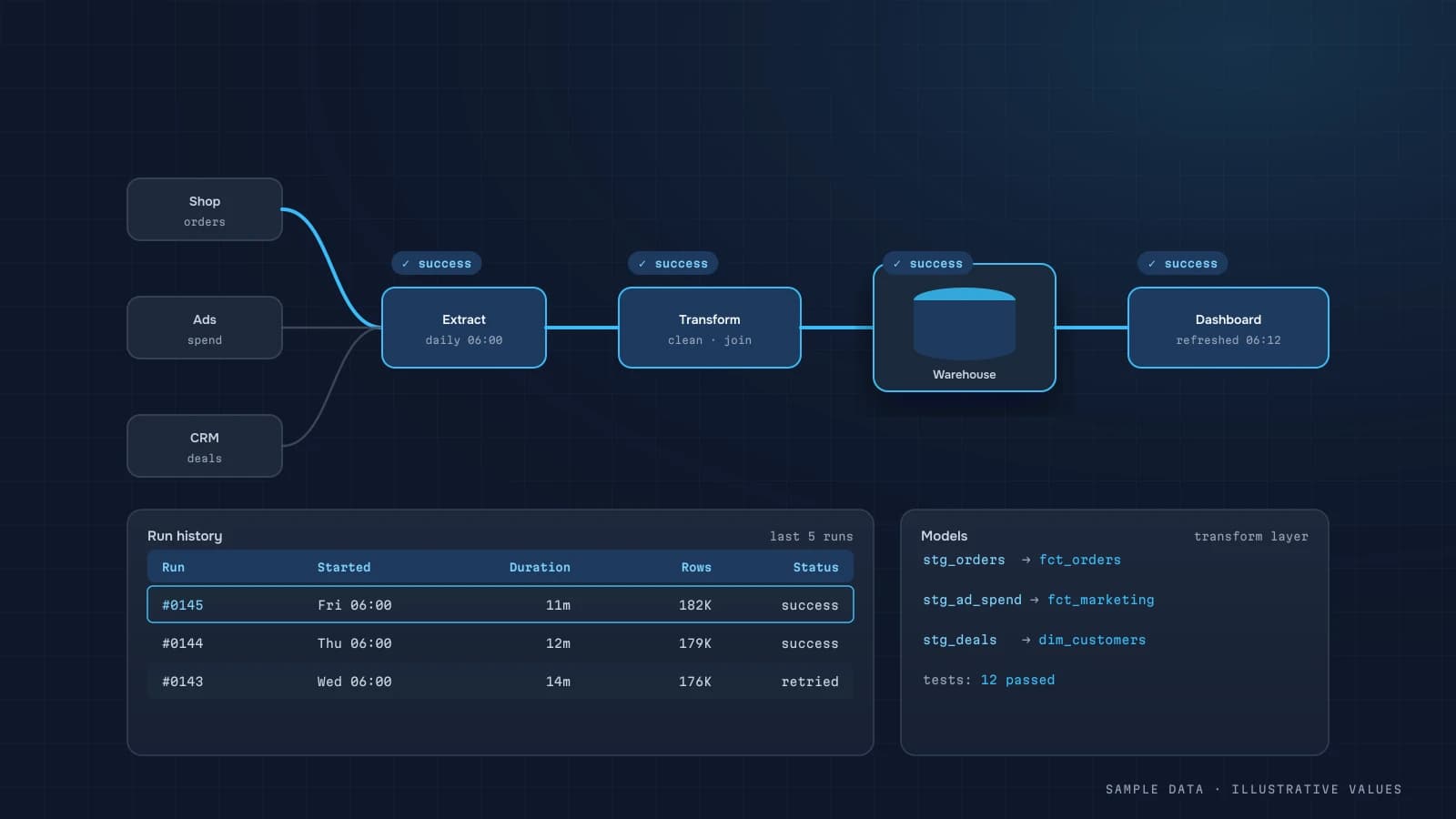
- The pipeline refreshes the marts overnight (ETL).
- A scheduler (cron) runs the report script at 7:55.
- The script reads
daily_kpi, calculates the comparisons and checks the anomaly rules. - The message goes out through
sendMessagein the Telegram Bot API, to a user or a group.
import os, requests

TOKEN = os.environ["TELEGRAM_BOT_TOKEN"]  # server env vars only

def send(chat_id: int, text: str) -> None:
    r = requests.post(
        f"https://api.telegram.org/bot{TOKEN}/sendMessage",
        json={"chat_id": chat_id, "text": text, "parse_mode": "HTML", "disable_web_page_preview": True},
        timeout=10,
    )
    r.raise_for_status()
Details that matter:
- A bot can only message a user after that user has pressed Start. That's a Telegram rule.
- To post in a group, the bot has to be added to it, and it needs its privacy mode configured if it should read messages.
- Use HTML parse mode and escape
<,>and&in the data. - Telegram rate-limits sending, so hundreds of recipients need a queue.
Security
- The bot token is a secret. Keep it in server environment variables only. Never put it in code, a repo or the frontend.
- If the token ever ends up in a chat or a screenshot, revoke it with @BotFather.
- Send financial reports only to private chats or closed groups with controlled membership.
- Keep a list of chat IDs with roles: who gets which report.
- Never include customers' personal data in a message. Aggregates only.
User-side setup
In the DATUMPANEL workspace, each user enters their own Telegram ID and picks which reports they get and when. To find their ID, they message a bot like @userinfobot. To let the workspace bot message them, they press Start in that bot.
Common mistakes
- A 30-line report nobody reads after the first week.
- Alerts with no volume threshold, which means noise and alert fatigue.
- The token sitting in frontend code or a public repo.
- No link to the details.
- The report goes out before the data has refreshed.
Checklist
- Morning digest is 7 lines or fewer
- Comparisons use the same weekday
- Alerts have relative thresholds and a minimum volume
- The report runs only after a successful data refresh
- The token lives only on the server
- Recipients and roles are documented
- Every message links to the dashboard
Step by step: a morning report bot
The whole setup fits in an afternoon if the data is already in a warehouse:
- Create a bot with @BotFather and store the token as a secret in your scheduler or server environment, never in code.
- Add the bot to a group (or have each recipient start a chat with it) and record the chat IDs.
- Write the query that returns yesterday's numbers and their comparisons.
- Format the message as short text with a few lines and one optional chart image.
- Schedule it after the data refresh and checks finish, with a fallback message if they didn't.
import os, requests

def send(chat_id: str, text: str) -> None:
    url = f"https://api.telegram.org/bot{os.environ['TG_BOT_TOKEN']}/sendMessage"
    r = requests.post(url, json={"chat_id": chat_id, "text": text,
                                 "parse_mode": "HTML", "disable_web_page_preview": True}, timeout=15)
    r.raise_for_status()

def fmt(v, prev):
    d = (v - prev) / prev * 100 if prev else 0
    arrow = "▲" if d >= 0 else "▼"
    return f"{v:,.0f} ({arrow}{abs(d):.0f}%)".replace(",", " ")

row = query_yesterday()   # revenue, orders, spend, margin + same weekday last week
text = (
    f"<b>Yesterday, {row.day:%a %d.%m}</b>\n"
    f"Revenue: {fmt(row.revenue, row.revenue_lw)}\n"
    f"Orders: {fmt(row.orders, row.orders_lw)}\n"
    f"Ad spend: {fmt(row.spend, row.spend_lw)}\n"
    f"Margin after ads: {fmt(row.margin, row.margin_lw)}\n"
    f"{row.note}\n"
    f"<a href=\"{DASHBOARD_URL}\">Dashboard</a>"
)
send(CHAT_ID, text)
The note line is where the value is: one sentence generated by rules, such as "Meta spend +40% with orders flat", "No orders from Google Ads since 14:00" or "All channels within normal range." See the Bot API documentation for formatting options and limits.
Worked example: a weekly owner report
| Line | Example (illustrative) |
|---|---|
| Headline | Week 41: revenue 1.12M (+6% WoW), margin after ads 248k (+11%) |
| Driver | Conversion up 0.2 pp after the checkout fix on Tuesday |
| Watch | TikTok CAC 410, above the 350 limit for 2 weeks |
| Customers | 640 new, 31% of revenue from repeat customers |
| Action | Suggest moving 20% of TikTok budget to Google Search |
Five lines, with every number tied to something the owner can decide. The "Action" line is optional, but owners tend to act on reports that include one.
Rules for anomaly alerts
| Rule | Example trigger | Who gets it |
|---|---|---|
| Zero orders for N hours in business time | no orders since 11:00 on a weekday | owner + developer |
| Spend without conversions | campaign spent 3,000 today with 0 orders | marketer |
| Payment failure rate | failed payments above 2× the 4-week average | developer |
| Data not refreshed | warehouse data older than 26 hours | analyst |
Send alerts to a different chat from the daily report, so they aren't buried, and keep the list short. If an alert fires every day, fix the threshold or remove it.
Who gets what
One report for everyone is the usual first version, and it's rarely read for long. A better split:
| Recipient | Frequency | Content |
|---|---|---|
| Owner | daily, 5 lines, plus a weekly summary | money, margin, the biggest change, one suggested action |
| Marketer | daily | spend, CAC and POAS by channel, campaigns outside limits |
| Operations | daily | orders to ship, returns, payment failures |
| Analyst/developer | on event | data freshness, failed jobs, tracking anomalies |
Keep each message short enough to read without scrolling on a phone. If something needs a table, link to the dashboard rather than pasting it into the chat. And send at a time people actually check messages, usually before the working day starts and after the data refresh.
Charts in messages
A small chart helps when the shape matters more than the number, for example a 14-day revenue trend. Render it on the server as a PNG (any plotting library works) and send it with sendPhoto. Keep it simple: one line, a light background, large labels readable on a phone, and the latest value annotated. One chart per message at most. More belongs in the dashboard.
FAQ
Can the bot send charts instead of text?
Yes. Use sendPhoto with a PNG trend chart, for example. For the daily digest, though, text is faster to read.
Is it safe to send financial numbers through Telegram?
Yes, as long as reports go to private chats or closed groups, the token is protected and no customer personal data is included. Sensitive companies can send percentages only.
What does the bot cost?
The Telegram Bot API is free. You pay for the server that runs the script, plus the setup work.
Can I do the same in Slack or email?
Yes. The logic is identical and only the delivery channel changes.

DATUMPANEL — Business data analytics
DATUMPANEL is an independent data analyst based in Ukraine. I build dashboards for business owners, set up GA4 and the BigQuery export, and run data pipelines and Telegram auto-reports for e-commerce, service businesses, SaaS and agencies, from data audit to decisions.