Why GA4 revenue doesn't match your CRM or Shopify: 9 causes
Why order counts and revenue in GA4 differ from your CRM or store backend (ad blockers, consent, hosted payment pages, duplicates, currency, time zones) and how to set up a weekly reconciliation.
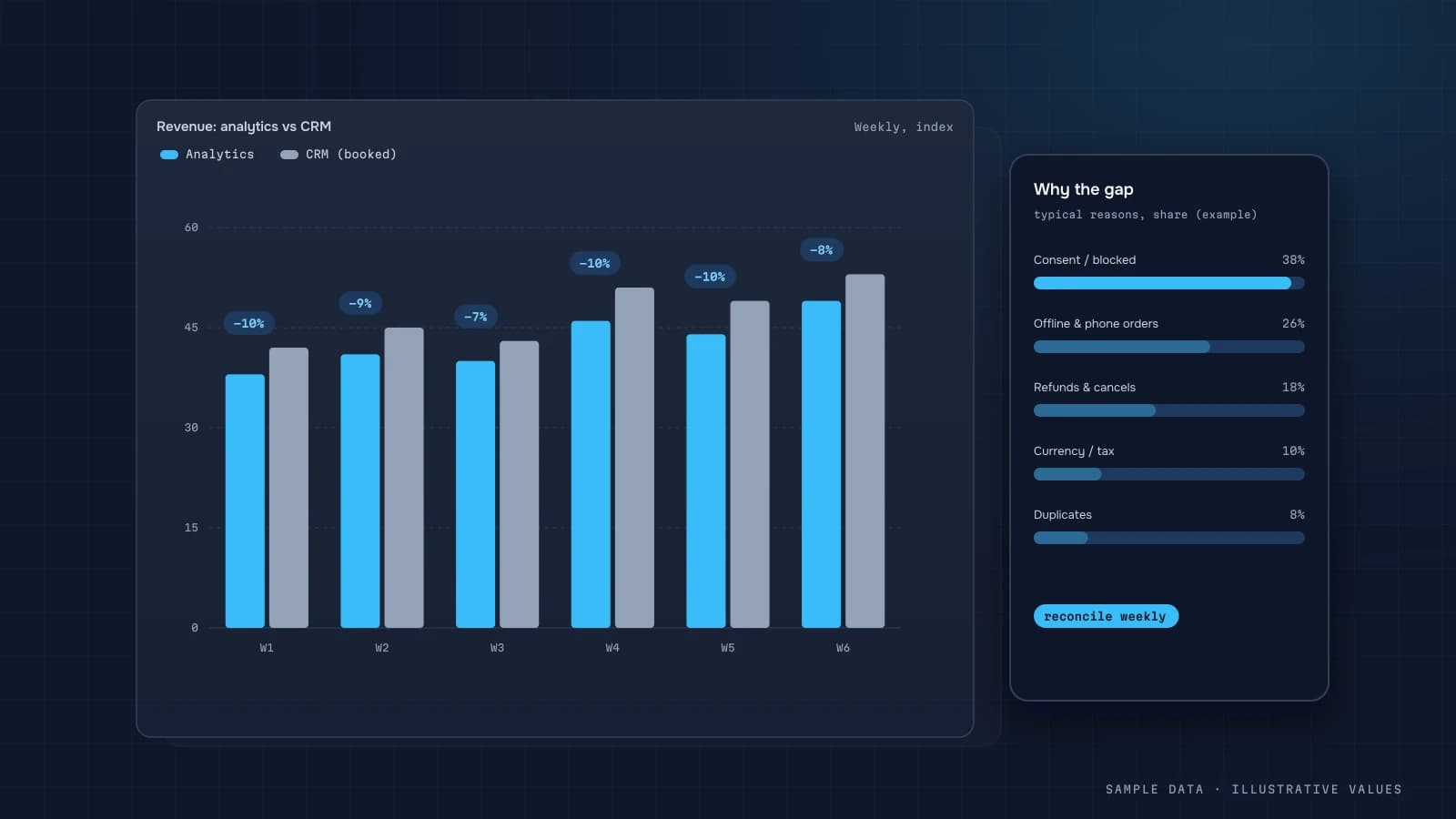
"GA4 says 1,120 orders in September. Shopify says 1,390. Which one is right?" It's probably the question I hear most when a project starts. The short answer: money comes from the backend, behaviour comes from GA4. You still need to understand the gap and keep an eye on it, because sometimes it points to something that's actually broken.
Normal gaps and abnormal ones
GA4 is browser analytics, not accounting, so a small gap is unavoidable. These are the warning signs:
- the gap suddenly widens (from 5% to 20%);
- GA4 shows more orders than the backend (duplicates);
- the gap differs by device or payment method.
Nine causes
1. Ad blockers and browser privacy features
Some visitors block analytics scripts. Their purchases show up in the backend but never reach GA4.
2. Declined consent
Without consent, GA4 gets limited signals or nothing, depending on your setup (consent mode).
3. Hosted payment pages
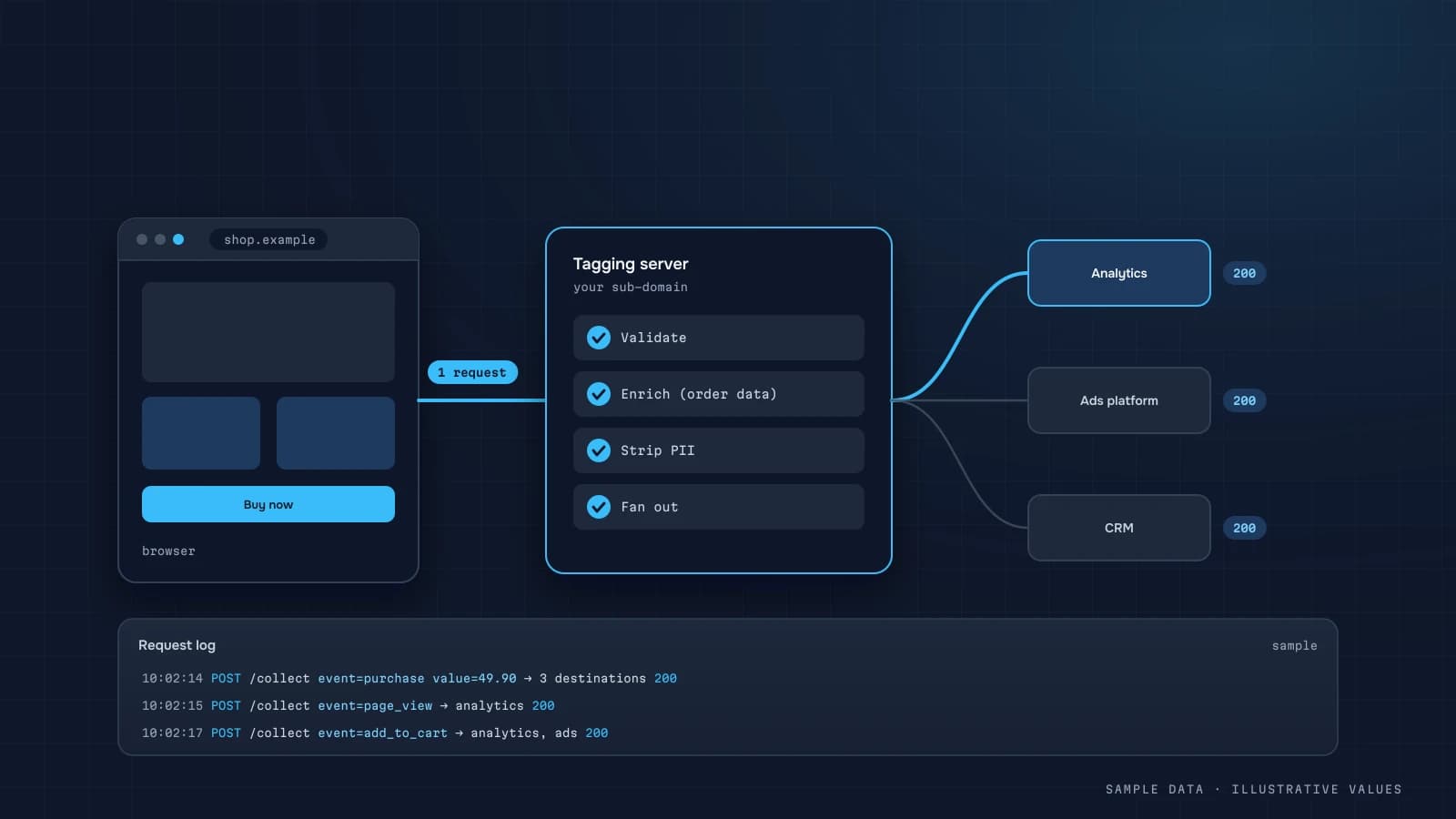
The customer pays on a PayPal or bank 3-D Secure page and closes the tab before getting back to the thank-you page, so purchase never fires. The fix is a server-side event after the payment webhook (server-side tracking).
4. Off-site orders
Phone, chat, Instagram DMs, marketplaces, draft orders created by staff. GA4 will never see these, and it isn't supposed to.
5. Duplicate purchases
Thank-you page reloads, revisits from the confirmation email, or double tagging (the platform integration plus GTM). The result is more orders in GA4 than in the backend.
6. Statuses and refunds
The backend reports paid, non-cancelled orders. GA4 reports everything that was placed. Without refund events, refunded orders stay in GA4.
7. Order date and time zone
GA4 logs the event at placement time, in the property's time zone. The backend may count by payment date or use another zone. Numbers drift at day and month boundaries.
8. Currency and tax
value includes tax on the site and excludes it in the backend, shipping is included in one and not the other, or currency is missing and GA4 discards the amount.
9. Test and internal orders
QA orders by staff and developers land in GA4 because internal traffic isn't filtered.
A weekly reconciliation routine
- Compare order count and revenue for the week, backend vs GA4. Use BigQuery, not the UI.
- Join on
transaction_idand find the IDs that exist in only one system. - Group the missing orders by payment method, device and source.
- Look for duplicates in GA4.
-- backend orders missing from GA4 (BigQuery)
WITH ga AS (
  SELECT DISTINCT ecommerce.transaction_id AS id
  FROM `project.analytics_123456789.events_*`
  WHERE _TABLE_SUFFIX BETWEEN '20260921' AND '20260927' AND event_name = 'purchase'
)
SELECT c.payment_method, c.device, COUNT(*) AS missing
FROM `project.store.orders` c
LEFT JOIN ga ON ga.id = c.order_id
WHERE c.order_date BETWEEN '2026-09-21' AND '2026-09-27'
  AND c.status = 'paid' AND ga.id IS NULL
GROUP BY 1, 2
ORDER BY missing DESC;
If the missing orders cluster on one payment method, the problem is the redirect back from that provider. If they cluster on iOS, look at browser restrictions or a script error in mobile checkout.
What to show on the dashboard
- Tracking coverage: the share of backend orders found in GA4, by week, as a technical quality metric.
- The share of orders with no source, shown separately.
- Revenue, ROAS and unit economics calculated from the backend. GA4 is for the funnel and behaviour.
Reconciliation checklist
- GA4
transaction_idequals the backend order ID - Repeat
purchasefiring is blocked - Paid orders are confirmed server-side
- Refunds are sent as
refund - Tax and shipping are handled the same way in
value - Internal traffic is filtered
- Payment domains are on the unwanted referrals list
- Weekly tracking coverage metric
Worked example: reconciling one week
Illustrative numbers for one week:
| Source | Orders | Revenue |
|---|---|---|
| CRM, all created orders | 412 | 498,000 |
| CRM, paid (the money truth) | 371 | 441,000 |
GA4 purchase events | 338 | 421,500 |
Walk from CRM paid to GA4, one cause at a time:
| Step | Orders | Explanation |
|---|---|---|
| CRM paid | 371 | starting point |
| − phone and manager-created orders | −14 | never touched the website checkout |
| − paid on external page, didn't return | −11 | purchase tag never fired |
| − users who declined analytics consent | −12 | not collected (estimate from consent rate) |
| + duplicate purchase from page reloads | +4 | missing reload guard |
| = expected in GA4 | 338 | matches GA4 |
Once each step has a number, the gap stops being a mystery and becomes a to-do list. Here, the reload guard is a quick fix, external-page payments need server-side tracking, and the consent gap is legitimate and should simply be documented.
The revenue gap usually has one more component: GA4's value may include or exclude shipping and VAT differently from the CRM. Compare the average order value in both sources for orders that appear in both. If they differ systematically, it's a definition problem, not missing orders.
SQL: order-level matching
With the BigQuery export, match orders one by one instead of comparing totals:
WITH ga AS (
  SELECT ecommerce.transaction_id AS order_id,
         COUNT(*)                    AS ga_events,          -- >1 means duplicates
         MAX(ecommerce.purchase_revenue) AS ga_value
  FROM `project.analytics_123456.events_*`
  WHERE _TABLE_SUFFIX BETWEEN @from AND @to AND event_name = 'purchase'
  GROUP BY 1
)
SELECT
  CASE
    WHEN ga.order_id IS NULL AND o.source = 'phone'     THEN 'offline order'
    WHEN ga.order_id IS NULL AND o.payment_redirect     THEN 'external payment, no return'
    WHEN ga.order_id IS NULL                             THEN 'missing (consent/blocker/bug)'
    WHEN ga.ga_events > 1                                THEN 'duplicate in GA4'
    WHEN ABS(ga.ga_value - o.revenue_net) > 1            THEN 'value mismatch'
    ELSE 'matched'
  END AS status,
  COUNT(*) AS orders,
  SUM(o.revenue_net) AS crm_revenue
FROM clean.orders o
LEFT JOIN ga ON ga.order_id = o.order_id
WHERE o.status = 'paid' AND o.order_date BETWEEN @from_date AND @to_date
GROUP BY 1 ORDER BY orders DESC;
Also run the reverse check: GA4 transaction IDs that don't exist in the CRM at all. Those are usually test orders, cancelled orders counted at checkout, or a tag firing on the wrong page.
Which number goes where
| Question | Use |
|---|---|
| How much money did we make? | CRM / payment provider |
| Which channel brought the orders? | GA4 (or your own attribution) for the share by channel, applied to CRM totals if needed |
| Where do people drop in the funnel? | GA4 |
| What did a campaign return? | your own join of CRM orders with campaign data, see ROAS and POAS |
The most common reporting mistake is showing GA4 revenue on the same screen as CRM revenue without labels. Show one money number, and use GA4 for behaviour and shares.
Timing: why yesterday never matches exactly
Even with perfect tracking, daily numbers drift for reasons that have nothing to do with lost orders:
- Time zones. The GA4 property reports in its configured time zone. The CRM may store timestamps in UTC. An order at 23:30 local time can land on different dates in each.
- Created vs paid date. GA4 records the moment
purchasefired. The CRM may date the order by creation, payment or shipping. Bank transfers and cash on delivery can be paid days later. - Processing delay. GA4 data for the last day or two can still change. Reconcile with a lag of 2–3 days, not on yesterday.
- Refunds and edits. The CRM updates an order when it's partially refunded or edited. GA4 keeps the original purchase unless you send a
refundevent.
That's why I reconcile on weekly totals with a 3-day lag, and flag only gaps that exceed the expected range for each cause. A daily comparison mostly produces false alarms.
A reasonable target
There's no universal "acceptable" percentage, because it depends on your share of phone orders, payment methods and consent rates. A practical approach is to measure the gap for a few clean weeks, explain each component as in the walk-through above, and then alert when the unexplained part grows. A stable, explained gap is fine. A gap that suddenly changes means something broke.
FAQ
What gap between GA4 and the backend is normal?
It depends on your audience, your share of off-site orders and your consent setup. Stability matters more than the absolute number. A sudden jump means something broke.
Can I get GA4 to 100%?
No, and you shouldn't try. The goal is a stable gap you understand, with money taken from the backend.
How do I calculate ROAS if GA4 misses orders?
Take revenue from the backend and attribute it using UTMs stored on the order. GA4's coverage then matters much less (attribution).
Will server-side tracking fix it?
It closes part of the gap (hosted payment pages, client-side script blocking), but you still have to respect user consent.

DATUMPANEL — Business data analytics
DATUMPANEL is an independent data analyst based in Ukraine. I build dashboards for business owners, set up GA4 and the BigQuery export, and run data pipelines and Telegram auto-reports for e-commerce, service businesses, SaaS and agencies, from data audit to decisions.