Server-side tracking and the GA4 Measurement Protocol: when you need it
What server-side tracking is, how server-side GTM differs from the GA4 Measurement Protocol, which events belong on the backend (payments, refunds, offline sales), and how to respect consent and avoid duplicates.
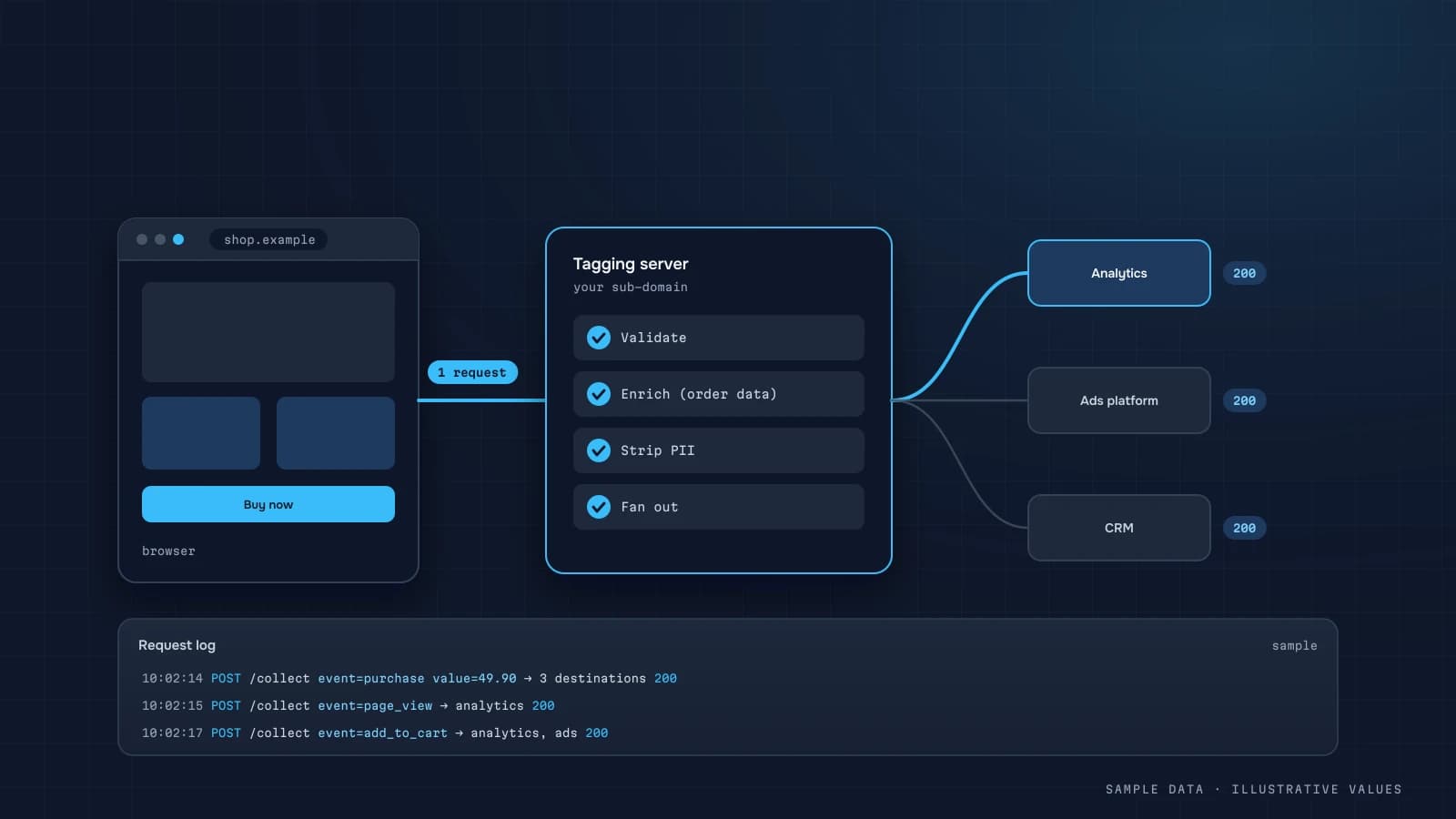
Client-side tracking (tags in the browser) loses events to ad blockers, closed tabs and hosted payment pages. Server-side tracking sends events from your server, where those facts are known for certain. It isn't a magic button that brings back every user, though, and it isn't a way around declined consent.
Two different approaches
| Server-side GTM | Measurement Protocol (GA4) | |
|---|---|---|
| What | a proxy server: the browser sends events to your domain and the server forwards them | a direct HTTP call to GA4 from your backend |
| Use it for | controlling the data flow, first-party domain, field filtering | events only the backend knows about |
| Complexity | hosting a container, configuration | a few lines of code |
| Cost | server hosting | free |
You can use both. For small and mid-size companies I usually start with the Measurement Protocol for the key backend events.
Which events to send from the server
- Payment confirmation after the Stripe/PayPal webhook, even if the customer never returned to the site.
- Refunds (
refund) when someone processes them in the backend. - Lead status changes (qualified, won, paid), so ads can optimise for quality leads.
- Offline sales for customers who came from the site (with a known
client_id). - Subscription renewals in SaaS.
How the Measurement Protocol works
Google's documentation describes the request: a POST with measurement_id and api_secret, and a body containing a client_id and the events.
import os, requests

def ga4_purchase(client_id: str, order: dict) -> None:
    url = "https://www.google-analytics.com/mp/collect"
    params = {"measurement_id": os.environ["GA4_MEASUREMENT_ID"], "api_secret": os.environ["GA4_API_SECRET"]}
    body = {
        "client_id": client_id,              # from the _ga cookie, saved with the order
        "events": [{
            "name": "purchase",
            "params": {
                "transaction_id": order["id"],
                "value": order["total"],
                "currency": "USD",
                "items": order["items"],
            },
        }],
    }
    requests.post(url, params=params, json=body, timeout=10).raise_for_status()
The essentials:
- Capture
client_idup front. At checkout, the frontend sends the_gacookie value along with the order. - Use the same
transaction_idas the client-side event, so duplicates get dropped. - Keep
api_secreton the server only. - Use the debug endpoint during development. It returns validation errors.
Consent
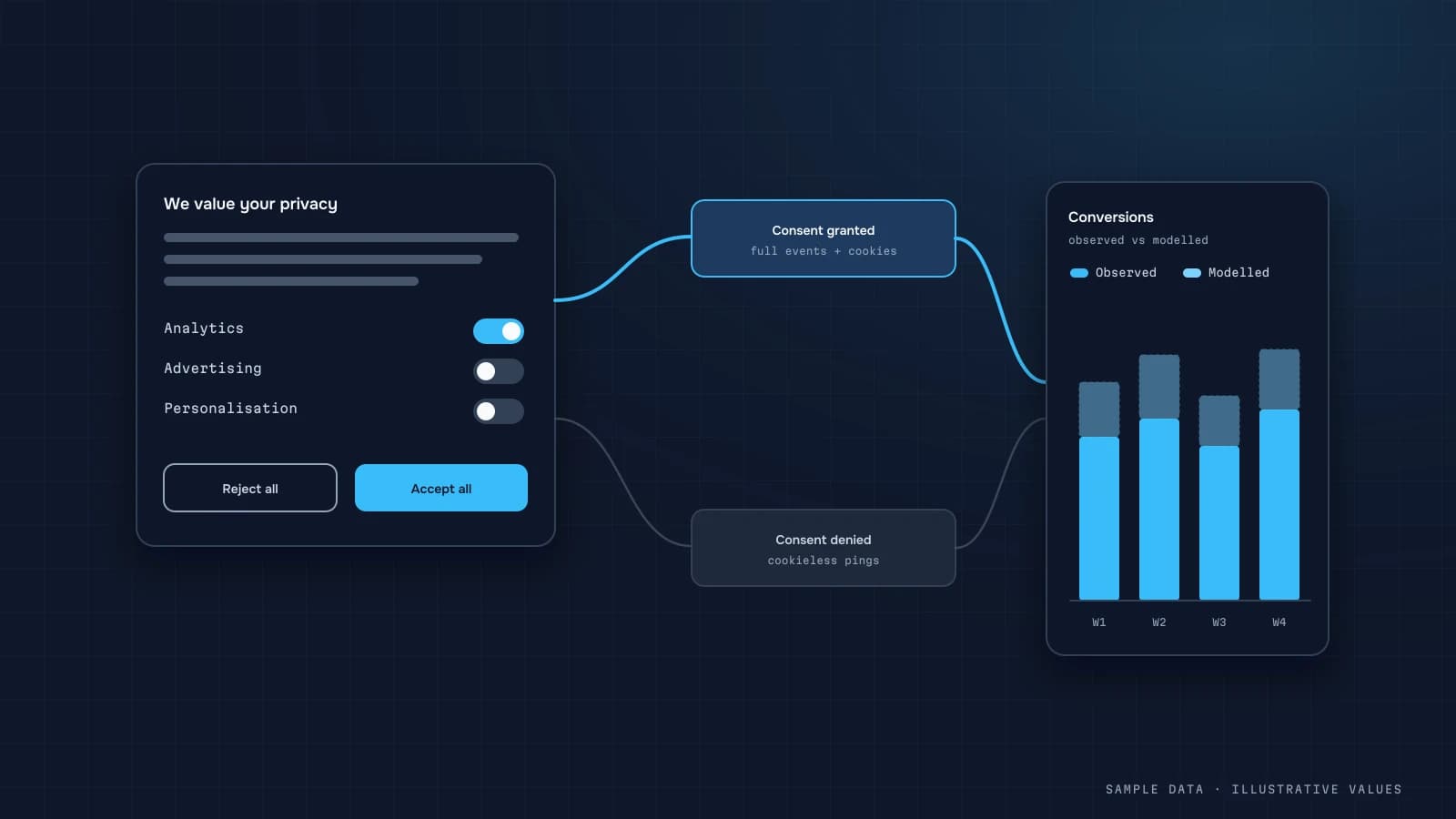
Server-side tracking doesn't remove consent requirements. If a user declined analytics cookies, sending their identifier and behaviour to GA4 from your server is the same violation, just from a different machine. A practical approach:
- store the consent state with the order;
- send server events with a
client_idonly for users who consented; - for everyone else, count the sales in your backend and in aggregate analytics (consent mode).
Your privacy policy should describe what data goes to third parties.
Avoiding duplicates
| Risk | Fix |
|---|---|
purchase from both browser and server | same transaction_id, or server-only for paid online orders |
| Repeated payment webhooks | idempotency: record that the event was sent |
| Events from staging | a separate GA4 property, or a filter |
Bad client_id | validate the format, never generate a random one |
What changes in reports
- GA4's order coverage improves, especially for hosted payments (GA4 vs CRM).
- Server events carry no browser session context (page, device). GA4 ties them to the user through
client_id. - In BigQuery, server events look just like client events (GA4 export).
Checklist
- Backend events defined: payment, refund, lead status
client_idstored with the order or lead- Consent state stored and respected
api_secretand IDs kept in environment variables- Sending is idempotent
- Validated against the debug endpoint
- Coverage compared before and after
Step by step: adding a backend purchase event
A complete, low-risk rollout for a store whose payments complete on an external page:
- Capture
client_idandsession_idat checkout. Read the_gacookie (the client ID is the last two dot-separated parts) and the session ID from the GA4 session cookie orgtag('get', ...), and send both with the order to the backend. Store them on the order with the consent state. - Decide who sends
purchase. The simplest safe choice: the server sendspurchasefor every paid online order with analytics consent, and the browser no longer sends it. That removes the duplicate risk entirely. - Send on the payment webhook, after verifying its signature and checking the order isn't already marked as sent.
- Include
session_idin event params so the purchase attaches to the right session and keeps its traffic source in GA4 reports. - Validate each payload against the debug endpoint during development, then compare coverage before and after for two weeks.
def on_payment_confirmed(order):
    if order.ga_sent or not order.analytics_consent or not order.ga_client_id:
        return
    payload = {
        "client_id": order.ga_client_id,
        "timestamp_micros": int(order.paid_at.timestamp() * 1e6),
        "events": [{
            "name": "purchase",
            "params": {
                "session_id": order.ga_session_id,
                "transaction_id": str(order.id),
                "value": float(order.total_net),
                "currency": order.currency,
                "items": [{"item_id": li.sku, "price": float(li.price), "quantity": li.qty}
                          for li in order.lines],
            },
        }],
    }
    send_mp(payload)                    # POST /mp/collect as above
    order.mark_ga_sent()                # idempotency
timestamp_micros lets you send the event with the actual payment time. Google's documentation limits how far in the past it can be, so send promptly rather than in a nightly batch.
Worked example: coverage before and after
Illustrative two-week comparison for a store where about a third of payments go through an external payment page:
| Before (browser only) | After (server purchase) | |
|---|---|---|
| Paid online orders (backend) | 1,000 | 1,000 |
| Orders with analytics consent | 780 | 780 |
purchase events in GA4 | 640 | 772 |
| Coverage of consented orders | 82% | 99% |
The remaining gap is orders without a stored client ID (for example, created by an app or a manager). The gap for non-consented orders is expected and correct. Don't try to close it.
Refunds from the server
Refunds almost always happen in the backend, so it's the natural place to send them:
{ "client_id": "1234567890.1700000000",
  "events": [{ "name": "refund",
               "params": { "transaction_id": "100245", "value": 875.00, "currency": "UAH",
                           "items": [{ "item_id": "SKU-118", "quantity": 1 }] } }] }
For a full refund, omit items. For a partial refund, list the refunded items. Without refunds, GA4 revenue stays permanently higher than what you kept. See GA4 vs CRM revenue.
Common mistakes
| Mistake | Effect | Fix |
|---|---|---|
| Generating a new client_id on the server | purchase appears as a new user with no source | always use the browser's stored ID; skip if missing |
| No session_id | purchase lands in "(not set)" or direct | send the stored session ID |
| Sending for every webhook retry | duplicates | idempotency flag on the order |
| Sending without consent | compliance risk | store consent with the order, check before sending |
| api_secret in frontend code | anyone can send fake events | keep it on the server only |
When server-side GTM is worth the extra work
Server-side GTM earns its hosting cost when one or more of these apply:
- Many vendor tags. Instead of loading five marketing scripts in the browser, the page sends one stream to your server container, which forwards to each vendor. Pages get lighter, and you control exactly which fields each vendor receives.
- Data minimisation requirements. You can strip IP addresses, hash or drop identifiers, and filter query parameters before anything leaves your infrastructure.
- A first-party endpoint. Running the container on a subdomain of your site (for example
metrics.example.com) keeps requests first-party. That improves reliability, but it doesn't change your consent obligations.
Operational notes if you go that way: plan for at least two instances for availability, monitor error rates and latency, keep the container version-controlled with a change log, and budget for hosting that grows with traffic. Google's server-side tagging documentation covers deployment options.
FAQ
Does a small business need server-side GTM?
Not always. If the main problem is lost payments and refunds, Measurement Protocol calls from the backend fix it more cheaply. Server-side GTM makes sense when you run many tags and need tight control over the data.
Does server-side tracking bypass ad blockers?
Partly, since backend events don't depend on the browser. That's no excuse to ignore the user's consent choice.
Can I send events to Meta from the server?
Yes, through Meta's Conversions API. It uses a shared event ID to de-duplicate against pixel events.
How long does it take?
For 2–3 backend events via the Measurement Protocol, usually a few days including testing, provided there's access to the backend code.

DATUMPANEL — Business data analytics
DATUMPANEL is an independent data analyst based in Ukraine. I build dashboards for business owners, set up GA4 and the BigQuery export, and run data pipelines and Telegram auto-reports for e-commerce, service businesses, SaaS and agencies, from data audit to decisions.